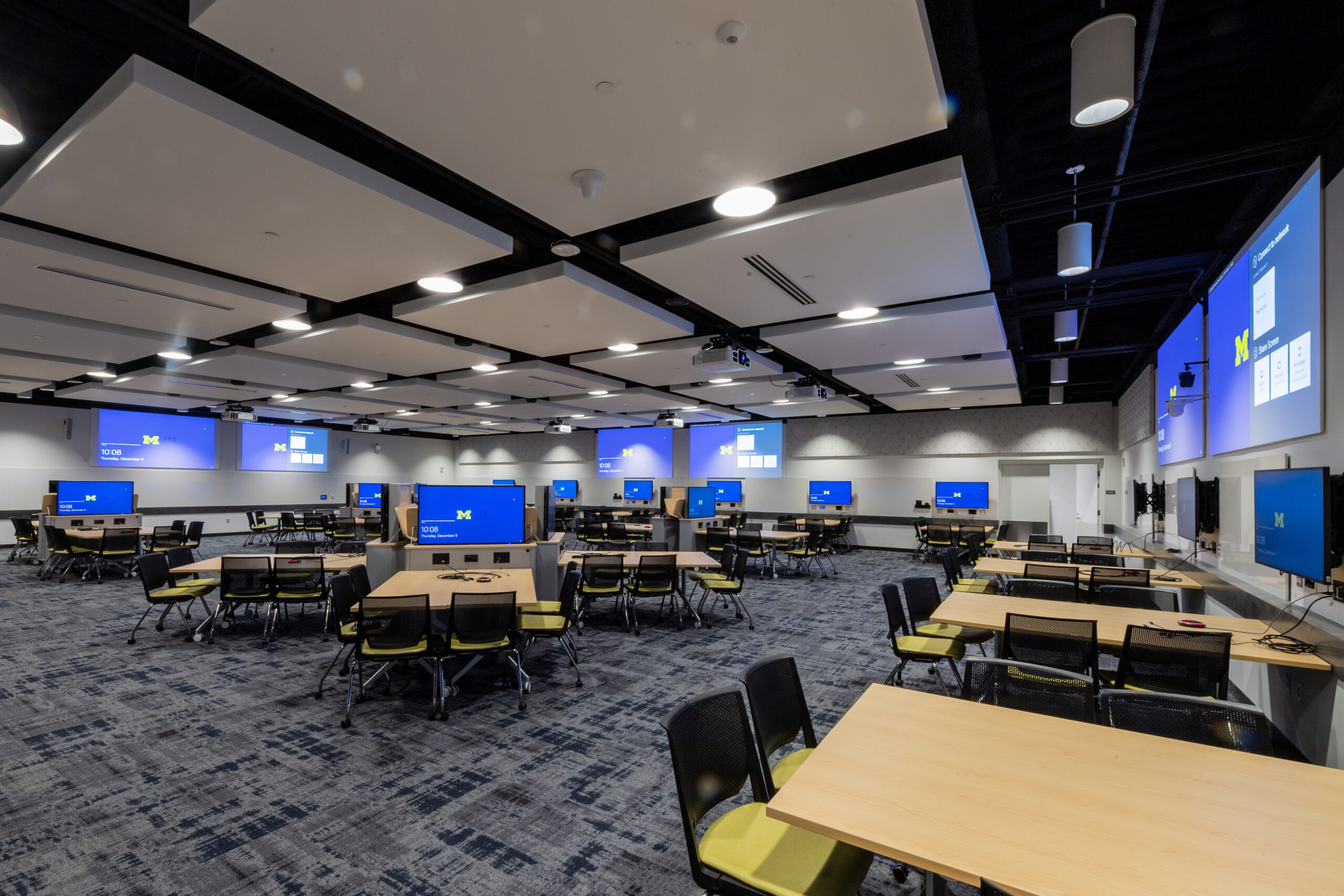
Curriculum schedulers interested in requesting a CCCB classroom for credit-bearing classes will need to enter NEEDCC in M-Pathways, making sure to include Room Characteristic #60 (Seating: Team Tables).
Because the classroom in the round (room 2420) has such specialized technology and a complex display screen, curriculum schedulers will need to email the Registrar’s Office directly at [email protected] to request this room for credit-bearing classes. The email message will need to include a description of how the class will use the room, if the display screens are needed to show course content. Use of this room requires significant time for instructor preparation and time to configure media for display.
Event Scheduling
Please read this page in its entirety before submitting an event request to ensure you’re aware of what we can or cannot accommodate.
Who can schedule CCCB classrooms
Scheduling priorities
When requests can be made
Food, furniture, amplified sound
Fees
How to submit an event request
Who can schedule CCCB classrooms
CCCB classrooms may be reserved by U-M departments and U-M student organizations currently registered with the U-M Student Organization Accounts Service (SOAS). If your meeting or request is not sponsored by one of these groups, please explore other campus venues through the University Unions, Palmer Commons, U-M Museum of Art, Rackham Graduate School, or Conference and Event Services websites.
Scheduling priorities and considerations
Because the CCCB is an academic classroom building (rather than an event facility), requests are considered in the following order of priority:
- U-M credit-bearing courses
- Exams for U-M credit-bearing courses
- Curricular activities required for a U-M credit-bearing course
- CCCB classroom orientation and practice sessions for faculty
- U-M department meetings and events
- U-M student organization meetings and events for student organizations currently registered with the Student Organization Accounts Service (SOAS)
All meeting and event requests are reviewed with the following considerations in mind:
- Request alignment with the scheduling priorities
- Room availability
- Estimated attendance relative to room size
- Room amenity needs
- Day(s) and time(s) of the meeting or event
- If the meeting or event will generate sound that could potentially disrupt other CCCB activities
- If the meeting or event requires facilities or technology support staff and if staff are available to support the activity
- If the building will be open for other activities on the requested day/time
Note: If the event request will be the only activity scheduled in the CCCB, we may decline the request for safety, security, building management, and sustainability reasons. We would then recommend an alternative classroom in another building or recommend that the event be scheduled at a U-M event facility, like the Michigan Union, Michigan League, Palmer Commons, etc.
USE AND RESERVATION OF FACILITIES
- General Use — FACILITIES include a broad range of spaces, grounds, paths, buildings, structures, rooms, halls, walls, doors, windows, and the like. While the University makes some FACILITIES regularly available for University constituents and/or the public to travel through, interact in/near, or make other formal or casual uses of, all FACILITIES are regulated by the University in service of its OBJECTIVES. Individuals or groups using or present in FACILITIES may not:
- violate the law or University PROTOCOLS;
- disrupt University activities or operations or disrupt the lawful, authorized activities of others;
- obstruct human or vehicle traffic, ways of ingress and egress, paths, stairs, aisles, and the like;
- fail to cooperate with Division of Public Safety and Security officers or other officials authorized by the University to act on behalf of the University; or
- use FACILITIES in a way that the University has not made available for that purpose.
When event requests can be made
Once these academic activities are scheduled, we can then consider all other meeting and event requests. Meeting and event requests will be considered during the following timeframes:
| Requests for the following upcoming term: | Will be considered: |
| Fall term | Starting July 1st |
| Winter term | Starting mid-November |
| Spring/Summer term | Starting March 1st |
| Fall or Winter break | At any time |
Food, furniture, and amplified sound
- Food - The CCCB does not have space for receptions or dining. Only light fare (pizza, sandwiches, cookies, etc.) are permitted in CCCB classrooms.
- Furniture - All CCCB classroom furniture and technology is fixed and cannot be moved or reconfigured. Additional furniture cannot be added to classrooms or corridors for fire safety reasons.
- Amplified sound - Music or other loud performances will only be allowed in the CCCB if we deem that the sound or activity will not disrupt other activities in the building that are scheduled at the same time (e.g., classes, exams, study sessions, etc.). Please note, the classrooms do not have AV systems that support amplified sound or theatrical lighting. For spaces that support these types of activities, please refer to the University Unions, Conference and Event Services, University Productions, etc.
Fees
Fees may be required for off-hour events and/or room use. For more information, refer to the “Fees” section.
How to submit an event request
To submit an event request:
- Complete the online request form. You will need to provide the following key information to complete the form:
- Event details (event name, description, estimated number of attendees, start/end date(s) and times.
- Number of classrooms needed
- Specific classrooms being requested
- If AV equipment will be needed
- If food will be served. Only light fare (e.g., cookies/donuts, boxed lunches, pizza, soda, coffee) may be served in CCCB classrooms. If your event requires more substantial food, please use the Michigan League, Michigan Union, Palmer Commons, or another event facility on campus.
- If the event will be charging an entrance or registration fee
- A U-M shortcode for any room use or other fees that may apply
- The name and contact information of the primary point of contact who will be on-site throughout the event
- The event request will be reviewed by a team representing the Office of the Provost, Office of the Registrar, CCCB facilities, and LSA Technology Services to determine if the event can be accommodated. There are many factors that need to be explored and considered when reviewing each request, but we strive to give you a response in approximately 1 week.
- If your event request is approved, we may require an on-site meeting with you to discuss any logistical needs further.
Fees for off-hours event staffing needs
During posted CCCB building hours, we have on-site Navigation Desk staff available who respond to general questions, provide basic classroom technology support, and ensure safe building operations for CCCB users. If a meeting or event is scheduled outside these hours, we will schedule Navigation Desk staff to ensure safe building operations during the event. A fee will be charged for this off-hour staffing need.
We also have on-site technology support staff available Mon-Fri., 8:00 a.m. - 5:00 p.m. who support classroom technology needs and questions. If a meeting or event is scheduled outside normal business hours (i.e., evenings or weekends) and requires technology support, we will schedule LSA Technology Services staff to provide this support. A fee will be charged for this off-hour staffing need.
U-M department requests and fees
U-M departments may or may not be charged a CCCB classroom usage fee and/or technology support staffing fee, depending on the nature of the request and the day/time of the meeting or event.
CCCB classroom usage without a fee (free use)
U-M departments may use CCCB classrooms for free (without paying a fee) for meetings/events that directly support the academic mission of a department or a credit-bearing course. Examples of this usage include:
- Study sessions for a credit-bearing class for which tuition is paid
- Departmental academic activities (e.g., seminars, exams, defenses, job talks, faculty meetings, commencements)
- Meetings or events for a credit-bearing class outside of regularly scheduled class hours
CCCB classroom usage with a fee
U-M departments will be charged nominal classroom usage fees for department-sponsored meetings/events that do not directly support the academic mission of a department or a credit-bearing course. Classroom usage fees are listed in Classroom Usage Fee Table, later in this web page. Examples of meetings/events that will be charged a classroom usage fee include:
- Symposia or conferences where the target audience includes both UM and non-UM faculty, staff, or students.
- Meetings or events where attendees are charged a registration, admission, or entrance fee.
- Summer programs and camps
- Professional organization meetings
- Outreach programs to schools, community organizations, or prospective students
- Recruiting activities
- Orientation programs
- Public meetings
- For-profit organization meetings
U-M student organization requests and fees
U-M student organizations that are interested in reserving a CCCB classroom for a meeting or event may request to use a CCCB classroom. Please note the following important information.
- The student organization must be registered through Student Organization Account Services (SOAS).
- All student organizations will be charged a classroom usage fee, based on the classroom type and payable by shortcode. For the list of classroom usage fees, see Classroom Usage Fee Table, later in this web page. If your student organization is looking for free classrooms to use through SOAS, please visit the SOAS website.
- CCCB classroom reservation decisions depend on when the request is submitted. (See Timing for details.) If you are submitting a CCCB request in the term in which the event will be held (e.g., you submit a request in Fall 2022 for an event that will be held in Fall 2022), a decision will be made in approximately 1 week. The process may take longer depending on the time of year and volume of requests, so please submit your requests as far in advance during the term as possible.
- If your student organization is looking to reserve a classroom that requires technology services support staff, you will need to make these requests at least 2 weeks in advance and you will need to pay additional fees (time and labor) for the technology support services staff to be on-site. These charges are billed separately from the classroom usage fee. Initial technology consultations are free--once your request has been approved, a technology support services staff member will contact you. For information on meeting and event support, please visit the LSA Classroom Technical Support website.
Classroom usage fee table
CCCB classroom usage fees are based on a classroom’s seating capacity and are a daily fee (not an hourly fee). If more than one room is requested, fees will be charged for each room scheduled.
| Classroom | Seating Capacity | Daily Rental Fee | Important Notes |
| Auditorium | 572 | $200 | Requires technology services support staff (for an additional fee) |
| Classroom in the round | 190 | $150 | Requires technology services support staff (for an additional fee) |
| Team-based learning room | 162 | $150 | May require technology services support staff (for an additional fee), depending on the event requirements |
| Team-based learning room | 150 | $150 | May require technology services support staff (for an additional fee), depending on the event requirements |
| Team-based learning room | 132 | $75 | May require technology services support staff (for an additional fee), depending on the event requirements |
| Case study room | 115 | $75 | |
| Group learning room | 100 | $75 |